Meet Lugh Xtudio, the video studio where AI agents edit with you
What Lugh Xtudio is, how editing with an agent works, and where to start if you have never used one.
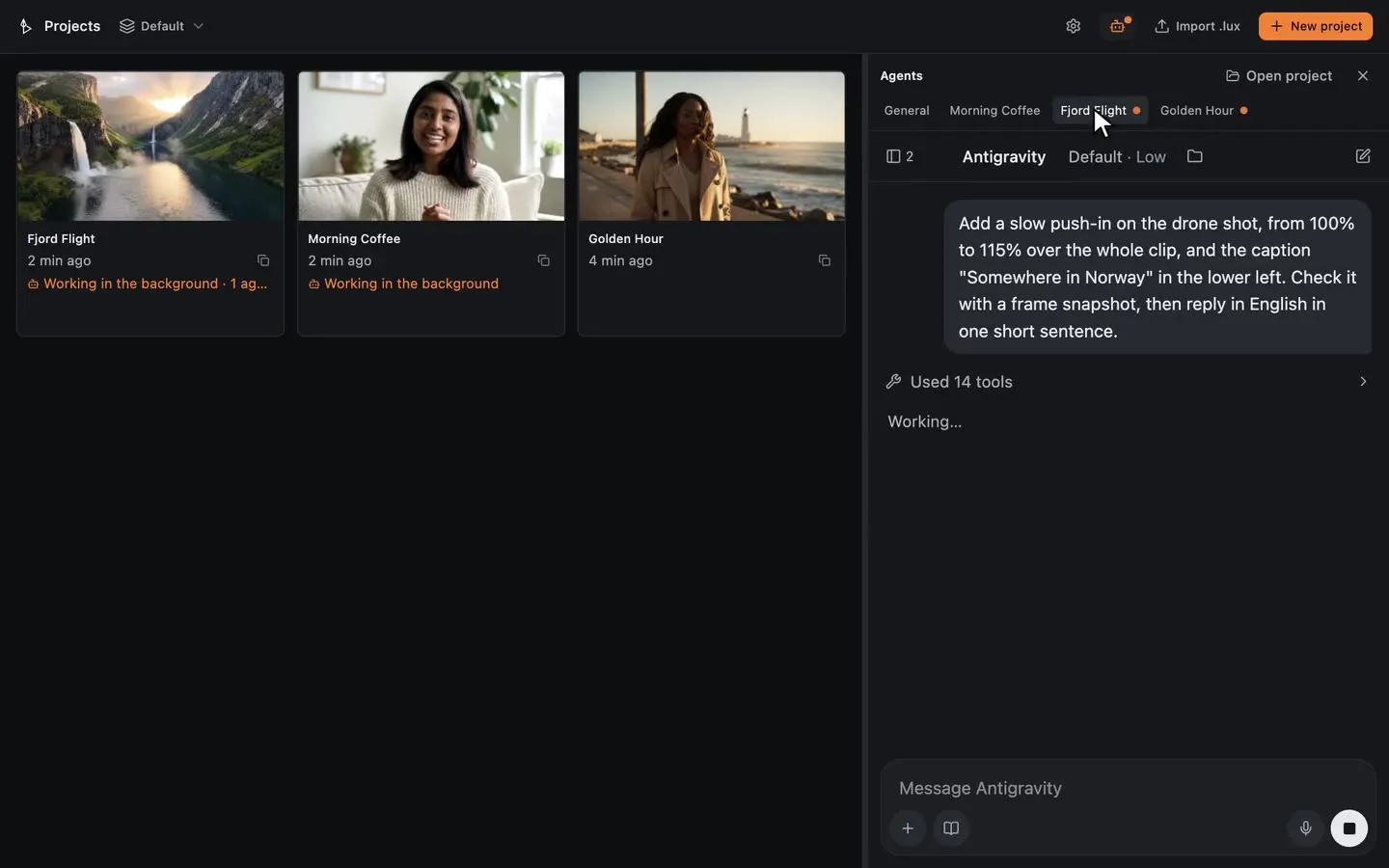
Lugh Xtudio is a video editor for macOS, Windows and Linux with one difference: an AI agent works in it beside you. You describe the video, the agent builds it, and everything it makes lands on a real timeline that you can still edit by hand.
The agent you already use
Xtudio has no chatbot of its own and nothing to sign up for. The Agent tab starts Claude Code, Codex or Antigravity with your own account. Any other app that speaks MCP, such as Claude Desktop, Cursor, VS Code or Gemini CLI, can connect too.
From an idea to a finished video
- Describe the video. Give the agent a topic, a script or a briefing.
- The agent builds it. It cuts, animates, writes captions, draws maps and places 3D models.
- Refine on the timeline. Change anything by hand, or ask for the next pass. Every step can be undone.
- Export. Free, with a watermark on what the agent edited. The licence takes it off.
Several agents at once
Start an agent in each project and let them work in parallel. Each one edits its own copy in the background and publishes when it is done, so nothing moves under your hands. The agents panel shows who is working where.
Workspaces and skills
A workspace holds a channel, a client or a series: its projects, brand files, references and the instructions for how videos are edited there. Your agent reads them before it touches a video, so the tenth episode comes out like the first.
Skills teach your agent a way of editing. Seventeen come ready to use, from Shorts Viral Editor and Talking Head Editor to Whiteboard Animator and Documentary Editor, and you can write your own.
Where to start
You do not need to know how to code. The step-by-step guide takes you from the download to your first video: which account you need, how to connect your agent from the chat, and a ready request to copy and paste.